

Detalles del libro
Formato
Kindle
Páginas
231
Idioma
Inglés
Publicado
Apr 17, 2012
Editorial
Fair Trade Digital Exchange
Descripción
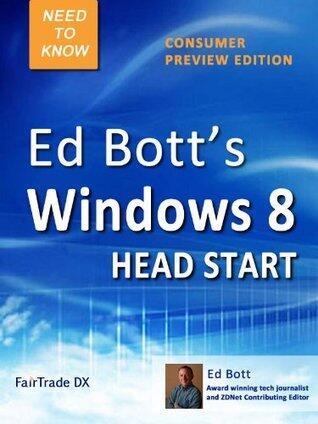
Ed Bott’s Windows 8 Head Start, Consumer Preview Edition is a fast-paced, information-dense guide that gives you what you need to know to thoroughly evaluate the radically changed Windows 8, plus all-new shortcuts, tips, and secrets throughout. You’ll find detailed information on how to:
• Check your system requirements and install Windows 8 the right way—as a clean install or as an upgrade that preserves data files and settings
• Set up a dual-boot configuration so you can use Windows 7 and Windows 8 on the same PC
• Learn the secrets of Windows 8’s new Start and search screens
• Completely revamp Start to suit your productivity needs
• Create custom Shut Down and Restart shortcuts
• Manage groups of icons
• Master touchscreens and tablets
• Learn how to use the powerful, completely revamped Windows Explorer
• Work with features aimed at experts and power users, including the new Task Manager, Hyper-V virtualization, and slick multi-monitor capabilities
This book isn’t a “gee whiz” overview for Windows newbies; it’s a thoroughly tested, carefully edited, and professionally produced guide written especially for the millions of enthusiasts, developers, and IT pros who’ve downloaded Windows 8 looking for a head start on Microsoft’s new operating system.
In Ed Bott’s Windows 8 Head Start, award-winning author and Microsoft expert Ed Bott meticulously explains how to set up, customize, and use Windows 8 so that you’re productive and comfortable with it from the start.
• Check your system requirements and install Windows 8 the right way—as a clean install or as an upgrade that preserves data files and settings
• Set up a dual-boot configuration so you can use Windows 7 and Windows 8 on the same PC
• Learn the secrets of Windows 8’s new Start and search screens
• Completely revamp Start to suit your productivity needs
• Create custom Shut Down and Restart shortcuts
• Manage groups of icons
• Master touchscreens and tablets
• Learn how to use the powerful, completely revamped Windows Explorer
• Work with features aimed at experts and power users, including the new Task Manager, Hyper-V virtualization, and slick multi-monitor capabilities
This book isn’t a “gee whiz” overview for Windows newbies; it’s a thoroughly tested, carefully edited, and professionally produced guide written especially for the millions of enthusiasts, developers, and IT pros who’ve downloaded Windows 8 looking for a head start on Microsoft’s new operating system.
In Ed Bott’s Windows 8 Head Start, award-winning author and Microsoft expert Ed Bott meticulously explains how to set up, customize, and use Windows 8 so that you’re productive and comfortable with it from the start.