

説明
DESIGN, BUILD, AND REFINE ACCESS APPLICATIONS THAT MEET YOUR ORGANIZATION'S SPECIAL NEEDS
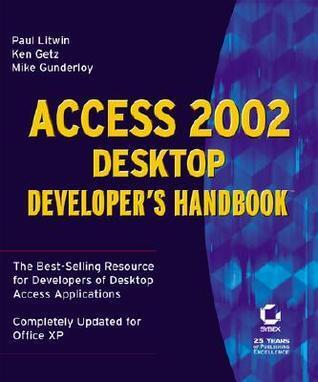
The latest from internationally recognized Access authorities Litwin, Getz, and Gunderloy, Access 2002 Desktop Developer's Handbook offers complete coverage of every aspect of building Access applications for single users and small workgroups. Inside, you'll find scores of practical examples, carefully devised by the authors to illustrate effective, elegant solutions to real-world challenges.
Coverage includes
* Understanding the Access event model
* Using VBA class modules
* Applying sound database design principles
* Using Access SQL
* Controlling controls
* Using ActiveX Data Objects (ADO)
* Designing effective forms and reports
* Taking advantage of shared Office programmability
* Controlling your printer
* Using Access as an automation client and server
* Debugging and handling errors
* Optimizing your application
* Accessing DLLs and the Windows API
* Adding professional features offered by Access Wizards
* Building COM add-ins and MDA files
* Using Reddick VBA naming conventions
The latest from internationally recognized Access authorities Litwin, Getz, and Gunderloy, Access 2002 Desktop Developer's Handbook offers complete coverage of every aspect of building Access applications for single users and small workgroups. Inside, you'll find scores of practical examples, carefully devised by the authors to illustrate effective, elegant solutions to real-world challenges.
Coverage includes
* Understanding the Access event model
* Using VBA class modules
* Applying sound database design principles
* Using Access SQL
* Controlling controls
* Using ActiveX Data Objects (ADO)
* Designing effective forms and reports
* Taking advantage of shared Office programmability
* Controlling your printer
* Using Access as an automation client and server
* Debugging and handling errors
* Optimizing your application
* Accessing DLLs and the Windows API
* Adding professional features offered by Access Wizards
* Building COM add-ins and MDA files
* Using Reddick VBA naming conventions
本の詳細
形式
ペーパーバック
ページ数
1,488ページ
言語
英語
公開されました
Sep 10, 2001
出版社
Sybex
ISBN-10
0782140092
ISBN-13
9780782140095